Select Version of EA Desktop:
The Bin Grid module presents the bin grid definitions in the Bin Grid Properties grid and the Related Records tabs. The information that affects the geometry calculations are uneditable in the grids.
To edit geometry detail, and initiate new calculations, use the Edit geometry tool. Access to the tool requires a specific security setting for your profile. Contact your administrator to discuss changes for your security settings.
To edit the geometry of an existing bin grid:
-
From the Bin Grid Properties grid Click to select the bin grid.
-
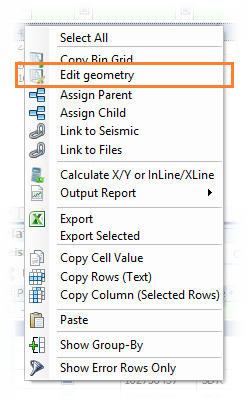
Right-click and select Edit Geometry.
|
|
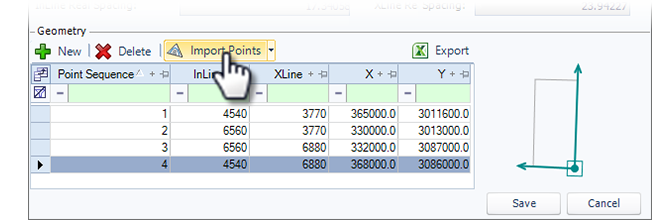
The values in the Bin Grid Properties section and the Geometry section work together to perform the calculations and generate the bin grid output. When making changes, verify that your detail in both areas are correct.